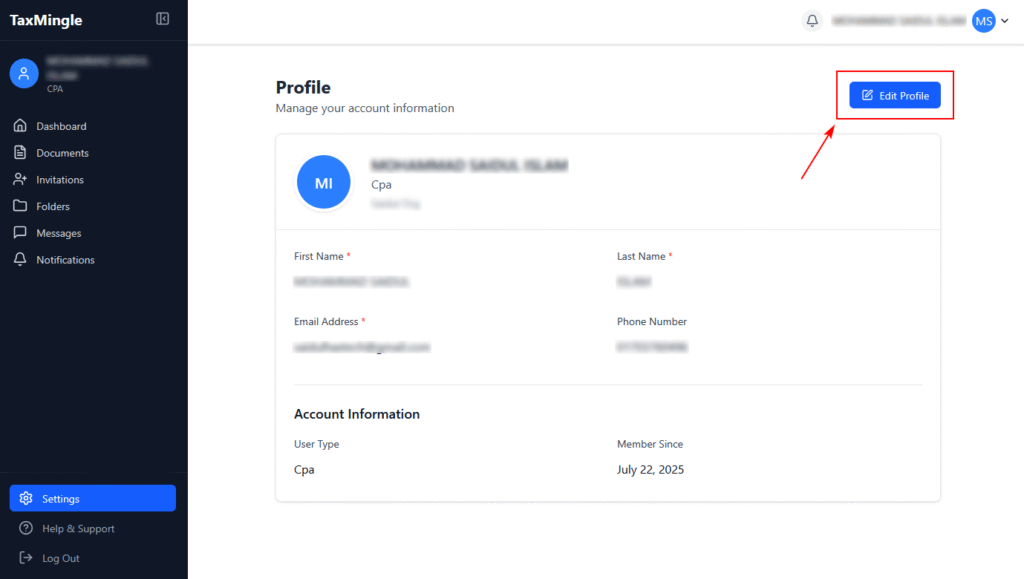
In TaxMingle, both CPAs and Clients can easily manage their account information through the Profile Settings section. This includes updating your name, email, and phone number.
Step 1: Access Your Profile
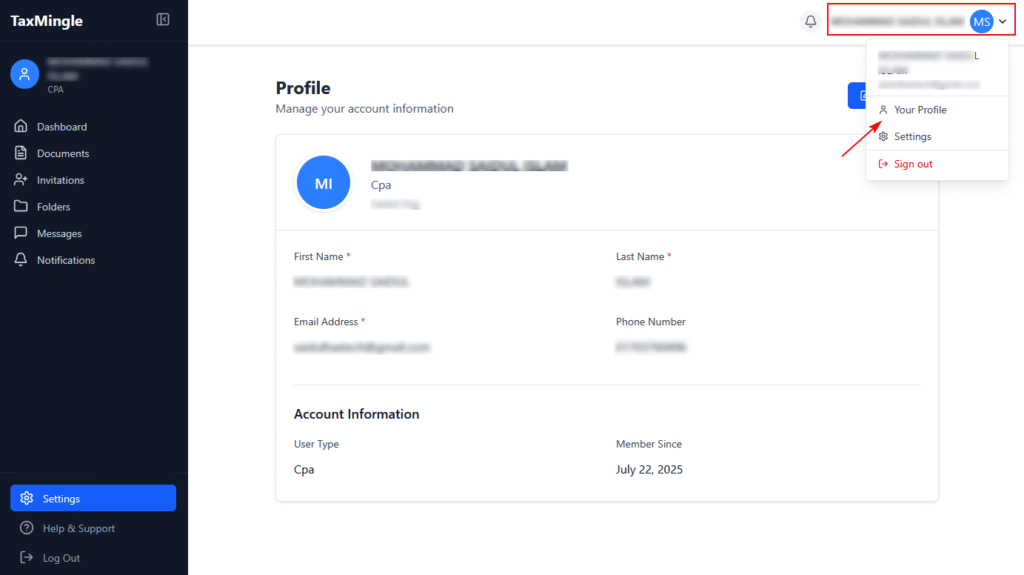
- From the top-right corner of the dashboard, click on your name or avatar.
- In the dropdown menu, select Your Profile.
This will open the Profile page where you can view and manage your account details.
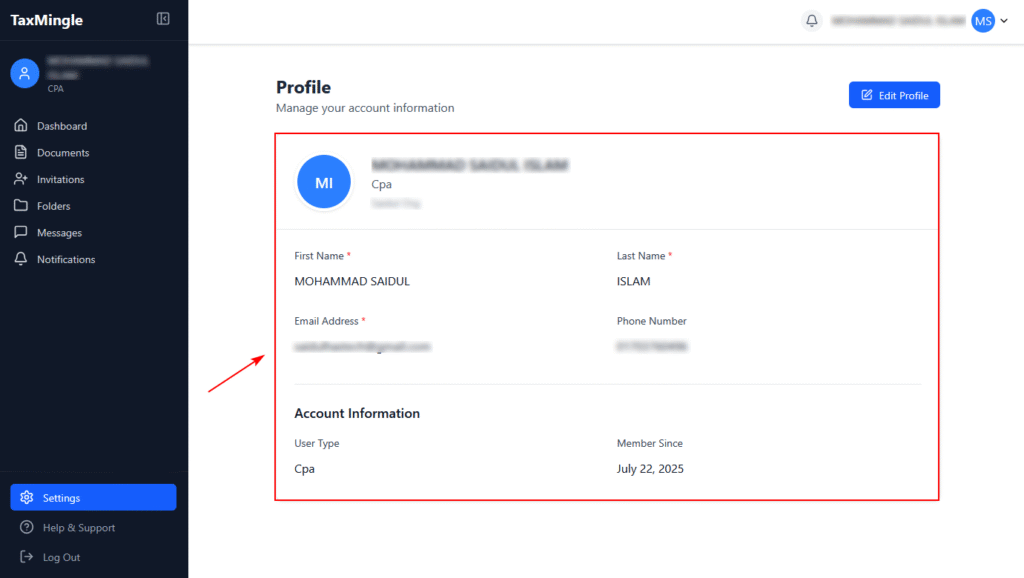
Step 2: View Your Account Information
On the Profile page, you’ll see your:
- First Name
- Last Name
- Email Address
- Phone Number
- User Type (e.g., CPA or Client)
- Organization Name (for CPAs)
- Member Since (account creation date)
Step 3: Edit Your Profile
- Click the Edit Profile button on the top right of the Profile section.
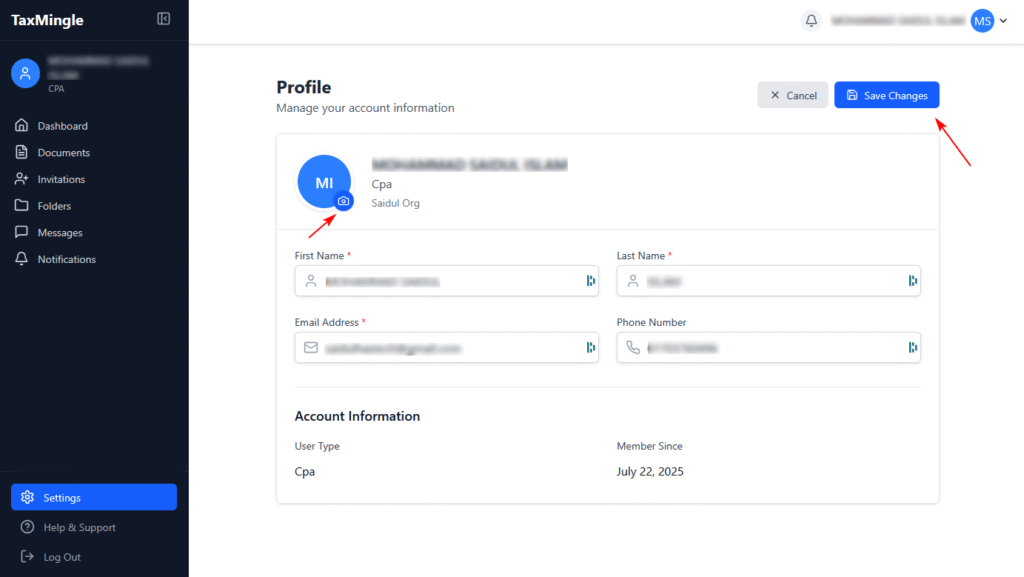
- Update the fields you want to change (e.g., name, phone, email).
- Once done, click Save Changes to apply the updates.
You can also update your profile picture by clicking on the avatar icon.